A useful character artwork package tells a plush developer what the character looks like, which features define its identity and which decisions still need development. Send editable source artwork, a readable reference PDF, separate detail views and a clear version list. A beautiful front-view illustration alone leaves the factory to invent the back, depth and construction.
Think of the handoff as a conversation that another team must be able to continue without guessing. Begin with a character design brief and attach only the current files. Keep inspiration images clearly separate from the artwork you authorize for production.
Build a small, understandable folder
- Read-me: character name, revision, contact and open questions.
- Source artwork: editable files with organized layers and linked assets.
- Reference PDF: front, side and rear views with the same revision.
- Details: face, emblem, clothing and accessory views.
- Color references: named targets and physical-swatch instructions.
- Approval record: decisions, requested revisions and current status.
Use descriptive English filenames such as moon-explorer-front-v03 and moon-explorer-face-v03. Include the revision in the document itself as well as the filename. Avoid “final-final-new” because it does not explain which version the supplier should use.
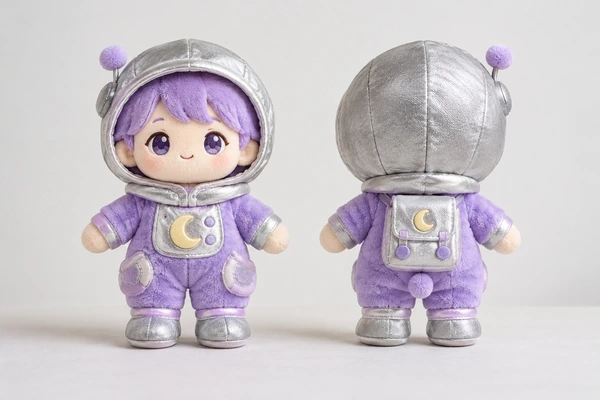
Provide views that agree with one another
Draw the same character in each view, keeping features aligned and proportions consistent. A hood that appears shallow from the side but very deep from the front creates an unresolved decision. Mark whether an element is flat decoration, a sewn panel, a stuffed projection or an accessory that needs a separate proposal.
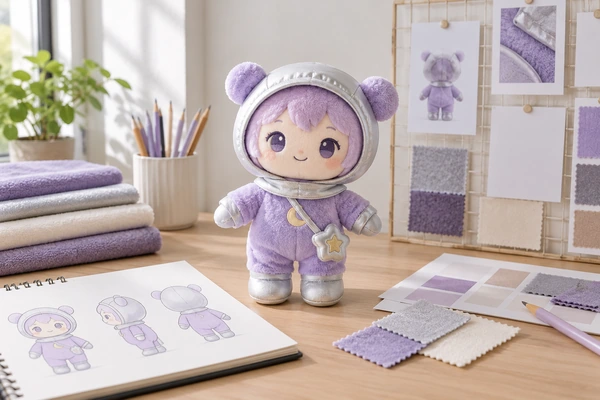
For a lavender moon explorer with a silver fabric hood, show where the hood meets the face and whether it can be removed. Explain the intended seated or standing posture. Review artwork-to-plush changes before treating every illustrated contour as a literal seam line.
Send editable files and a dependable visual reference
The supplier may need vector shapes for decoration and raster artwork for textures or visual reference. Adobe’s raster and vector explanation describes the distinction. Ask which source formats the development team can use rather than converting everything into a single low-resolution image.
If you work in Illustrator, Adobe’s packaging instructions explain how to collect linked assets. Check permissions before sharing fonts or licensed content. Keep an editable master internally and, where appropriate, provide outlined text artwork for fixed decorative lettering so its appearance does not depend on a missing font.
Export a reference PDF and open it independently before sending. Adobe’s PDF options clarify that editing capabilities depend on how the file is saved. Confirm that the PDF shows the intended layers, images and text; a filename extension alone does not prove the contents are usable.
Make face and clothing decisions visible
Show the face separately at its intended finished scale. Identify eye spacing, expression, mouth shape and any details that cannot be simplified without approval. Use the embroidery and printing comparison to discuss decoration choices instead of assuming every fine line will translate directly.

For garments, distinguish decorative seams from actual openings and fasteners. Specify whether the garment is removable, permanently attached or packed separately. Review clothing and accessory construction with the developer. If you are proposing several sizes, identify the master size and the details that require separate review under your size-consistency plan.
Separate screen color from textile approval
List complete color references with their systems and suffixes. Pantone’s system overview helps distinguish textile and graphics references. Send physical material targets where practical and identify who approves proposed matches.
ICC display-calibration guidance explains how digital workflows improve consistency, but a screen still does not reproduce a plush material’s pile and texture. Use the drawing to communicate placement and relationships, then approve the actual materials and assembled sample separately.
Close the handoff with a read-back
A useful final check is to ask a colleague who did not create the artwork to review the package. Can they identify the current face, understand the back of the hood and locate the color reference without opening an email chain? If the source file and PDF disagree, resolve the difference before sending either one. For the moon explorer, mark an undecided hood opening as an open question rather than leaving two incompatible alternatives visible on different pages. This makes the supplier’s first interpretation easier to assess.
Ask the supplier to identify missing views, proposed construction changes and the file revision it will use. Check the rights to manufacture and adapt the character, using WIPO’s copyright overview as background. Keep the approval process connected to configuration-management principles so a new file does not silently replace an approved one.
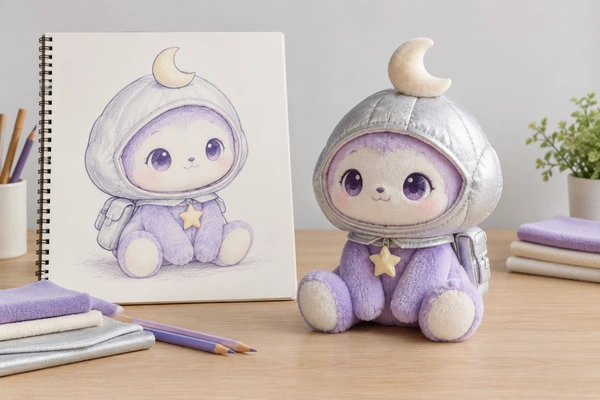
Include labels and packaging as separate artwork tasks in your private-label plan. Finally, send the package to Shinegifts with a short list of open decisions. Clear questions make the first sample more informative and subsequent feedback easier to act on.
Your sample development record
| Confirm | Record with your specification |
|---|---|
| Reference version | Current artwork, dimensions and dated specification |
| Feedback record | Feature location, requested change and supporting reference |
| Approval gate | Responsible reviewer, unresolved items and release decision |
Prepare your sample development inquiry
Copy and complete this brief; mark unresolved items to confirm.
Company / contact:
Product / size / intended use:
Market / quantity / arrival date:
Reference version:
Feedback record:
Approval gate:
Email This BriefWhatsApp This Brief
Review and send it yourself, or paste it into our inquiry form.